FlowWays OS, screen by screen
FlowWays OS is the online system behind the sites we build: your bookings, customers, leads and numbers in one login on your own website. Each screen below shows what starts it, what runs on its own, what you approve and what you get.
Bookings
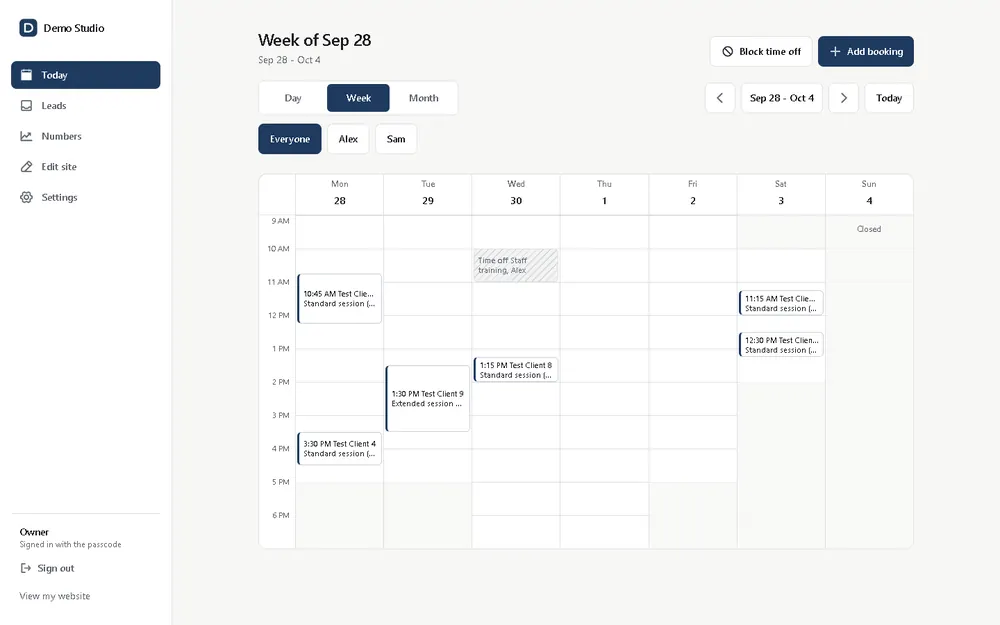
Customers book an open time on your booking page. The calendar shows the week for everyone on your team, or one person at a time.
- Starts with
- A customer books on your booking page, or you add a booking by hand.
- Runs on its own
- The time closes for everyone else, the confirmation goes out, and reminders follow before the visit.
- You approve
- Nothing per booking. You block time off, or move a booking, with two clicks.
- You get
- The whole week in one calendar, with no double-booked slots.
Customers
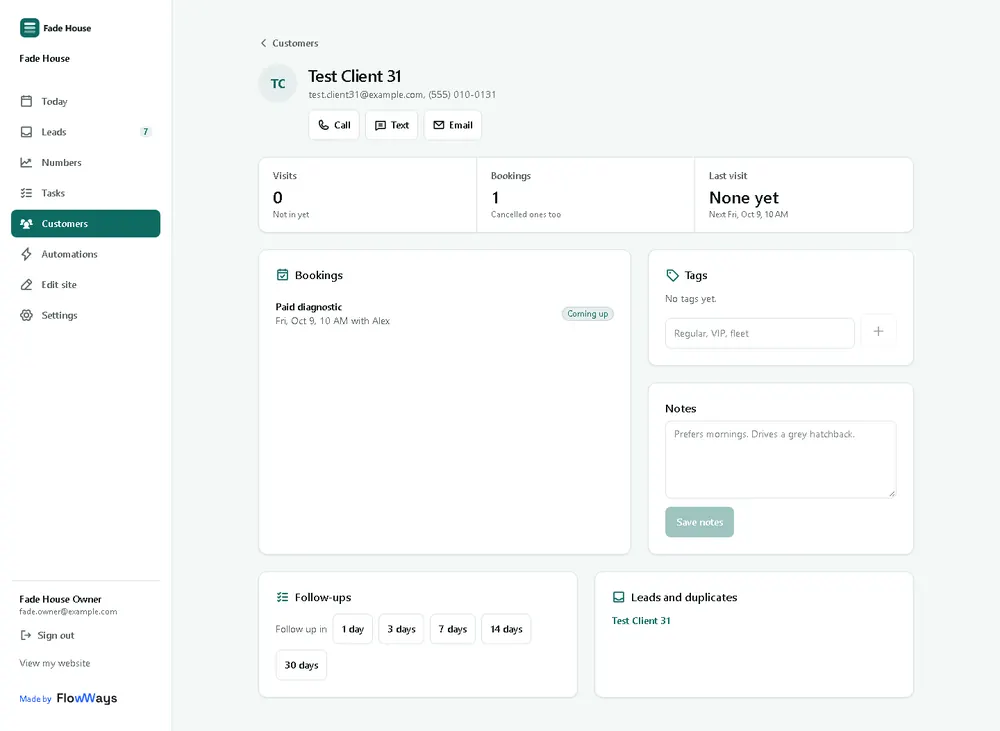
Every person who books or writes in gets one record: visits, bookings, the last visit and the next one, with buttons to call, text or email them.
- Starts with
- Someone books, buys or sends a message.
- Runs on its own
- Their record fills in from each booking and visit, and duplicates get flagged.
- You approve
- Notes and tags are yours to write, such as “prefers mornings”.
- You get
- Before a visit, you see who is coming and what they had last time.
Leads
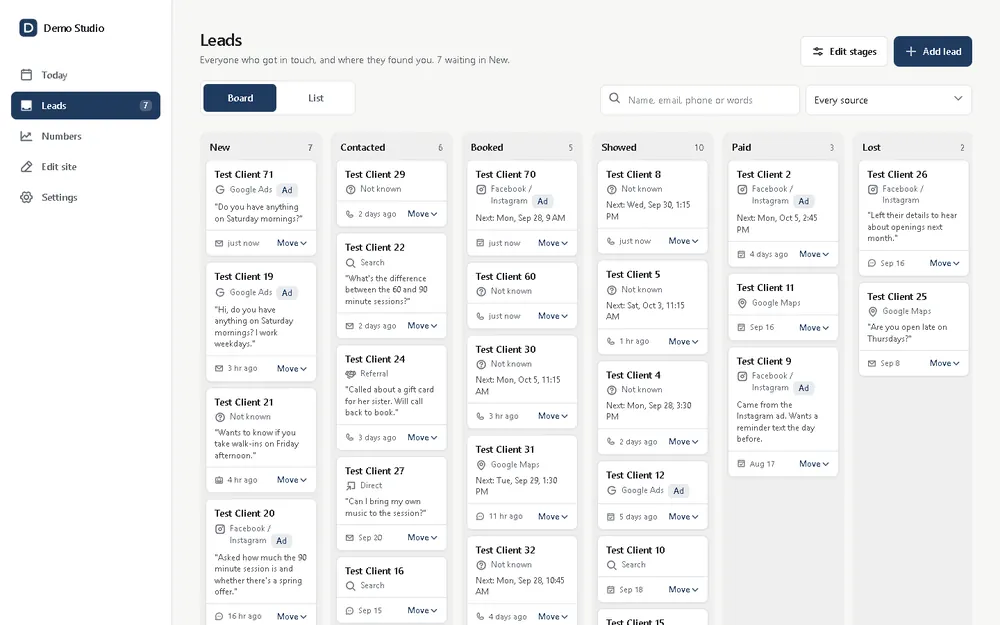
Everyone who got in touch, on one board, with where they found you.
- Starts with
- A message from your site form, the website chat, the phone assistant or an ad.
- Runs on its own
- The lead lands in New, tagged with its source: Google Maps, search, a Facebook or Instagram ad, a referral.
- You approve
- Each move along the board: contacted, booked, showed, paid, or lost with a reason.
- You get
- Nobody who wrote in gets forgotten in an inbox.
Numbers
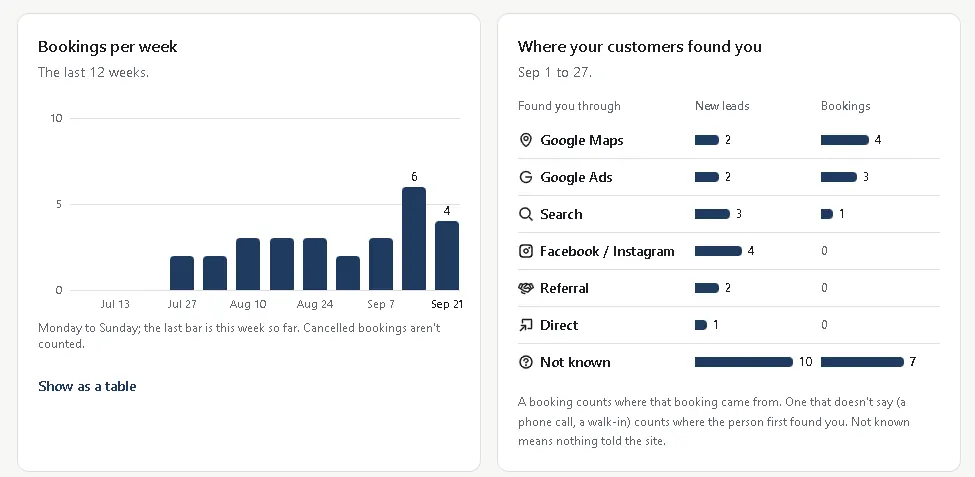
How the business is doing, counted from your own bookings and leads. A short summary goes to your inbox every Monday morning.
- Starts with
- Every booking and every lead.
- Runs on its own
- Bookings per week, where customers found you, and your busiest days and hours get counted for you.
- You approve
- Nothing. The page only reads your own records.
- You get
- You see which channel brings bookings, and which one only brings clicks.
Automations
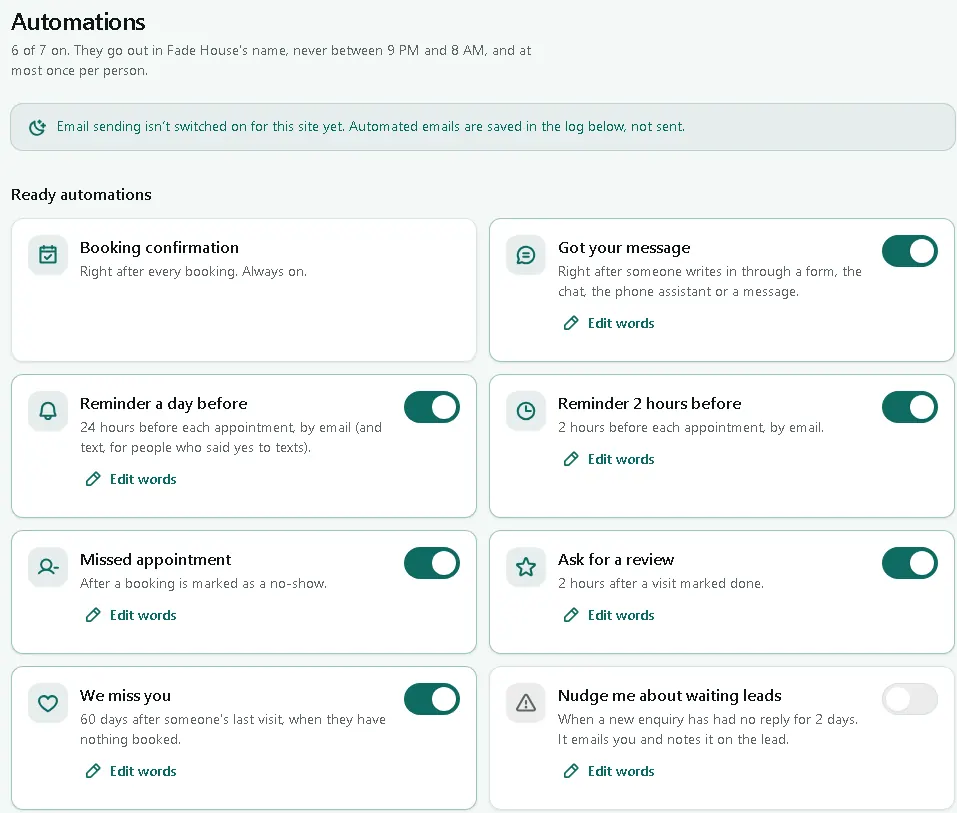
The messages a front desk would send, sent on time and in your business name.
- Starts with
- A booking, a finished visit, a no-show, or a customer gone quiet for 60 days.
- Runs on its own
- Confirmations, a reminder a day before and 2 hours before, a review request after the visit, and a “we miss you” note. Never between 9 PM and 8 AM, and at most once per person.
- You approve
- The words, each on/off switch, and every email in a follow-up series before it sends.
- You get
- Fewer no-shows and more reviews, without anyone at a desk.
Team roles
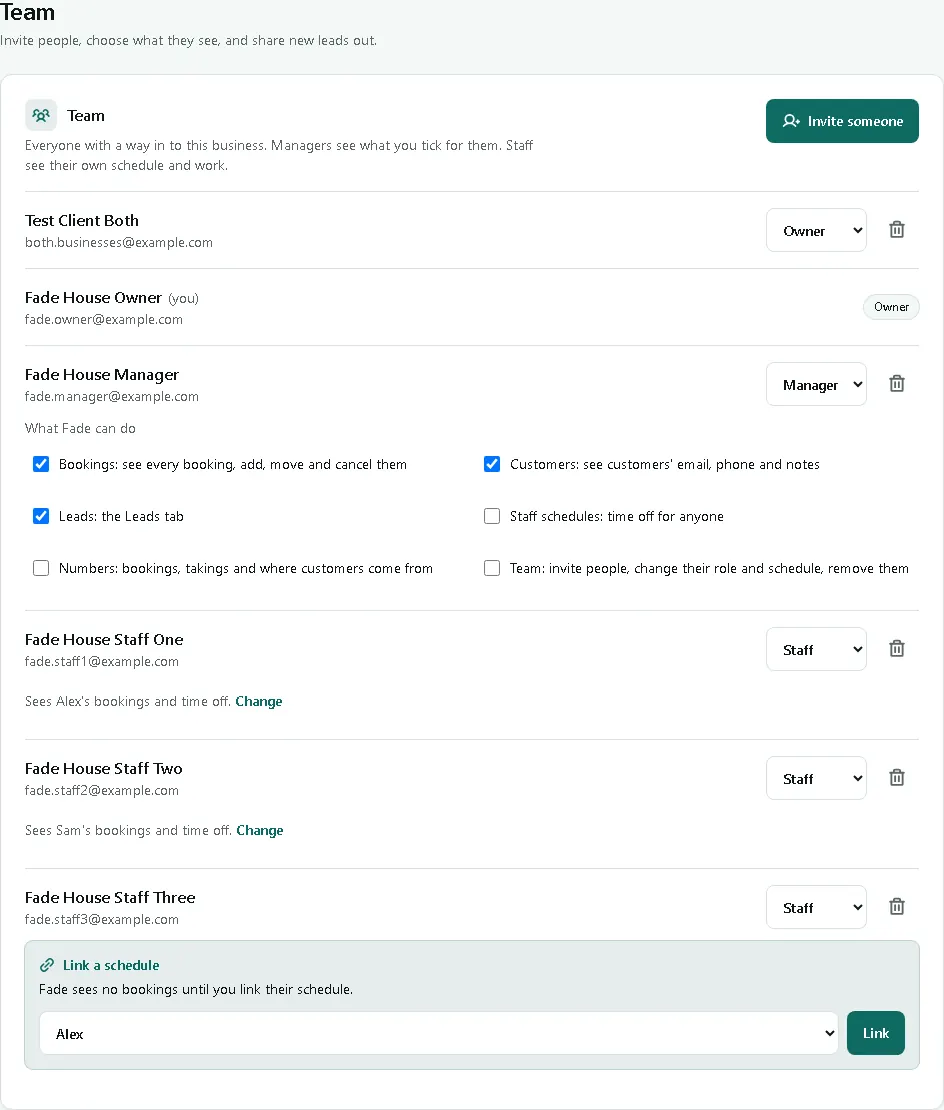
Owner, manager and staff logins, each seeing what their role allows.
- Starts with
- You invite someone by email.
- Runs on its own
- Staff see their own schedule. Managers see only the areas you tick. New leads get shared out in turn, if you want.
- You approve
- Every role and every tick box.
- You get
- Your team logs in without seeing your numbers or each other’s customers.
Connections
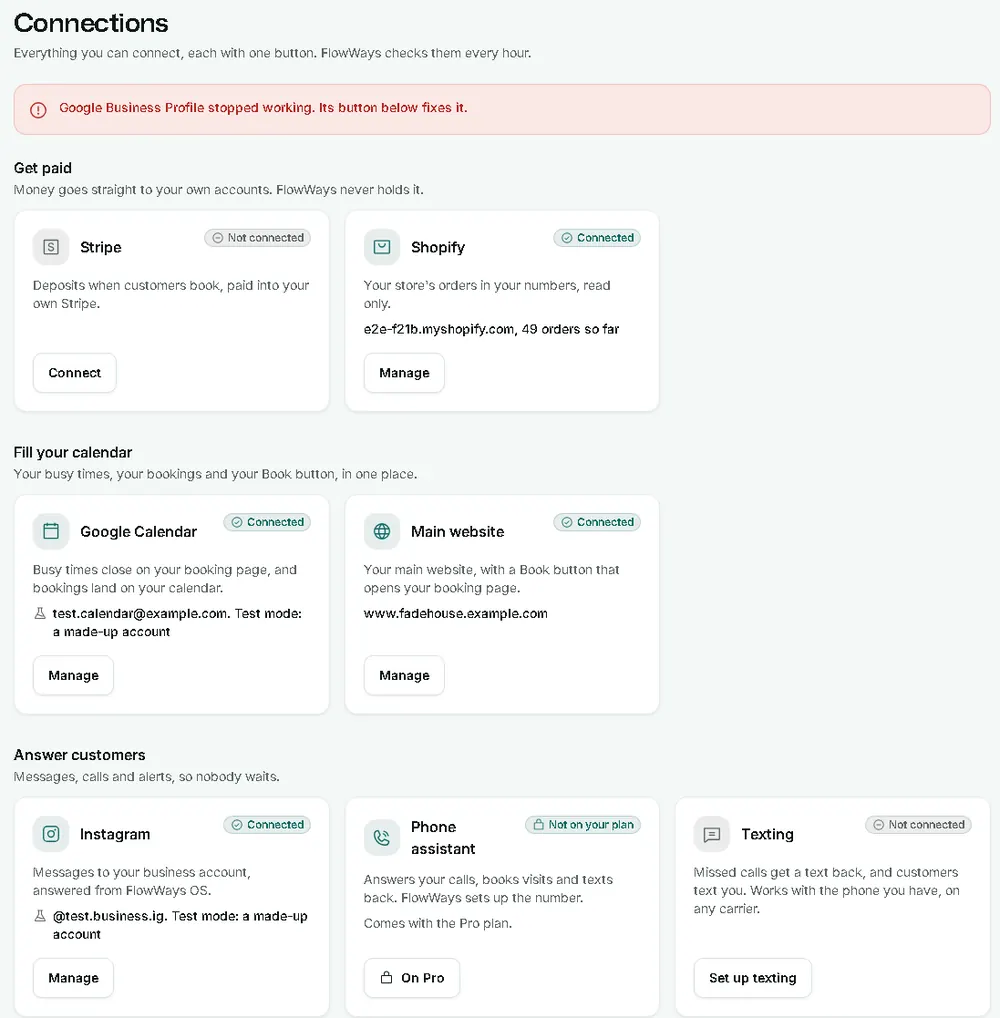
Every tool the system talks to, on one screen, with one button each.
- Starts with
- You connect a tool: your calendar, payments, email, Instagram messages or texting.
- Runs on its own
- Each connection gets checked every hour. When one stops working, a red line at the top says which, and its button fixes it.
- You approve
- What gets connected. Payments go straight to your own accounts.
- You get
- No silent breakage. You see a problem before a customer does.
Also part of FlowWays OS
- Missed call text back: an unanswered call gets a text in your words.
- Instant estimates: a price range from your own price list, before anyone calls.
- Review requests: one ask per visit, with one reminder.
- Follow-ups and reminders, written once and sent on time.
- An ads report for Google Ads and Meta ads: which ad spend turned into a booking or a lead. It reads your ad figures and never changes, pauses or spends on an ad.
- A phone assistant on the plans with phone answering.
Questions owners ask
Do I need a new website?
No. FlowWays OS comes with a site we build, or goes on the website you already have, with the owner login on your own address.
Whose data is it?
Yours. Payments go to your own accounts, and the customer list is your business’s.
Are these real screens?
Yes, from FlowWays OS itself, filled with a made-up business and test data so no real customer shows.
What does it cost?
FlowWays OS is a monthly plan, quoted in writing after a free 20-minute call. Running costs such as text messages are billed to you by those services, apart from our fee.
Hicksville, NY · New York & remote
Which screen
would save you the most time?
Tell us how bookings, leads and follow-ups run today. We’ll show you the parts of FlowWays OS worth switching on first.